
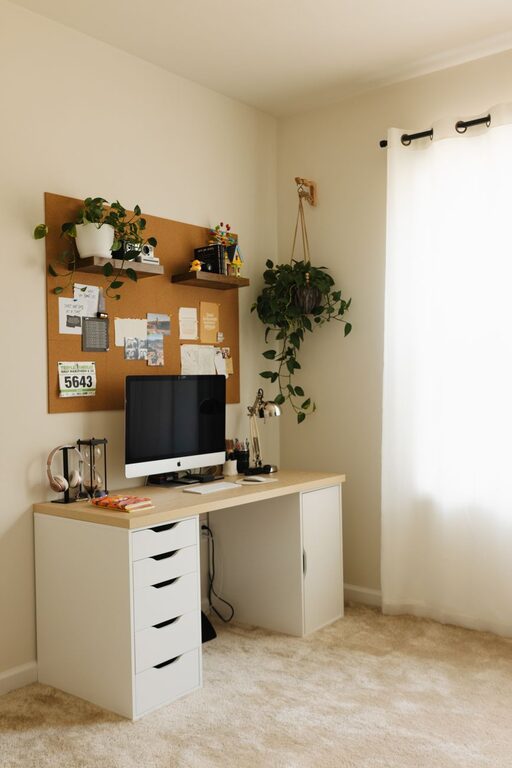
Creating a productive home office space is key to maintaining focus and efficiency when working remotely. Whether you’re new to working from home or looking to improve your current setup, small changes can make a big difference. This guide offers practical tips to help you design a home office that supports your best work.
Choose the Right Location
The first step is selecting a dedicated area in your home where you can work comfortably and with minimal distractions. Ideally, this space should:
– Be away from high-traffic zones like the kitchen or living room.
– Receive plenty of natural light to uplift your mood.
– Have enough room for your desk, chair, and work essentials.
If space is limited, consider creative options such as a corner nook, a section of your bedroom, or even an unused closet converted into a mini-office.
Invest in Comfortable and Ergonomic Furniture
Comfort plays a huge role in productivity. When setting up your workspace, focus on ergonomic furniture that supports good posture:
– Desk: Choose a desk that fits your space and has enough surface area. Adjustable desks that allow for sitting and standing are a bonus.
– Chair: A supportive, adjustable office chair reduces back strain and increases comfort during long work hours.
– Accessories: Ergonomic keyboards, mousepads with wrist support, and monitor stands can also help reduce fatigue.
Prioritize comfort to avoid common pain points such as neck and back discomfort.
Optimize Lighting
Lighting greatly affects how well you concentrate and the overall atmosphere of your workspace. Consider these lighting tips:
– Use natural light as much as possible by positioning your desk near a window.
– Supplement with task lighting such as a desk lamp with adjustable brightness.
– Avoid harsh overhead lights or glare that can cause eye strain.
– Choose warm or neutral white bulbs that create a calm, inviting environment.
Good lighting helps reduce fatigue and makes working from home more enjoyable.
Keep Your Space Organized and Clutter-Free
An orderly workspace helps keep your mind clear and your day more productive. To stay organized:
– Use drawers, shelves, or filing cabinets to store documents and supplies.
– Keep only essentials on your desk to avoid clutter.
– Use cable organizers to manage cords and wires neatly.
– Regularly declutter your workspace to remove unnecessary items.
An organized office reduces stress and helps you find what you need quickly.
Personalize Your Workspace
Adding personal touches can boost your motivation and comfort. Consider small additions such as:
– Family photos or artwork that inspire you.
– Plants that add color and improve air quality.
– A colorful mouse pad or desk mat.
– Motivational quotes or calendars.
Personalization makes your workspace feel inviting and tailored to your style, encouraging you to spend time in it.
Minimize Distractions
Distractions can quickly disrupt your workflow when working from home. Here are ways to keep interruptions low:
– Set clear boundaries with family or housemates during work hours.
– Use noise-canceling headphones or play background music if it helps you focus.
– Turn off notifications on your phone or computer that aren’t work-related.
– Keep your work area dedicated for work only—not for eating or leisure.
Building a distraction-free zone helps maintain concentration and efficiency.
Establish a Routine and Plan Your Day
A productive space is only one part of a productive workday. Combine it with routine and planning:
– Start your day at a consistent time and use your home office as a cue to shift into work mode.
– Take regular breaks to stretch and rest your eyes.
– Use to-do lists or planners to organize tasks and set priorities.
– End your day by tidying your workspace and setting goals for tomorrow.
A well-structured routine helps maximize the benefits of your home office.
Utilize Technology and Tools
Make the most of technology to streamline your work:
– Use task management apps to keep organized.
– Invest in a reliable internet connection for smooth video calls and downloads.
– Use a printer, scanner, or other office equipment as needed.
– Keep backups of important files using cloud storage.
Having the right tools in place supports your productivity and prevents technical hiccups.
—
Creating a productive home office is about combining the right physical setup with good habits. With thoughtful planning, ergonomic furniture, organized space, and minimized distractions, your home office can become a place where focus and creativity thrive. Start experimenting with these tips to build a workspace that works for you!