Creating a home office that feels both cozy and functional can transform the way you work. With more people embracing remote work or freelancing, having a well-designed workspace at home is essential. A thoughtfully arranged office not only boosts your productivity but also makes your work time more enjoyable.
In this post, we’ll explore practical tips for setting up a home office that balances comfort and efficiency. Whether you have a small corner or a dedicated room, these ideas can help you craft a space tailored to your needs.
Choose the Right Location
Assess Your Space
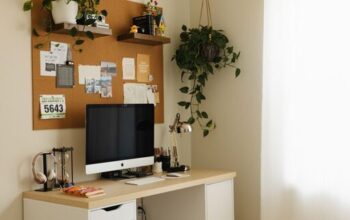
Start by selecting a spot that minimizes distractions and maximizes natural light. If possible, opt for a quiet room or a corner away from busy household areas. Natural light improves mood and reduces eye strain, so positioning your desk near a window is ideal.
Consider Privacy and Noise Levels
If your home is busy, think about noise-cancelling options like rugs, curtains, or even a white noise machine. Having some privacy is key, so use room dividers or screens if the area is shared.
Invest in Comfortable Furniture
Ergonomic Chair and Desk
Comfort is vital for long work sessions. Choose an adjustable chair that supports your lower back and encourages good posture. Your desk should be at a height that allows your elbows to rest comfortably at a 90-degree angle.
Multi-Functional Pieces
If space is tight, select furniture that serves multiple purposes, such as a desk with built-in storage or a foldable table. This helps keep your area organized without crowding it.
Organize Your Workspace Effectively
Use Storage Solutions
Clutter can decrease focus. Use shelves, filing cabinets, or storage boxes to keep documents and supplies neatly arranged. Label your storage to quickly find what you need.
Keep Essentials Within Reach
Arrange daily-use items near your desk for convenience. Pens, notebooks, and chargers should be easily accessible to save time.
Personalize Your Space
Add Decor That Inspires
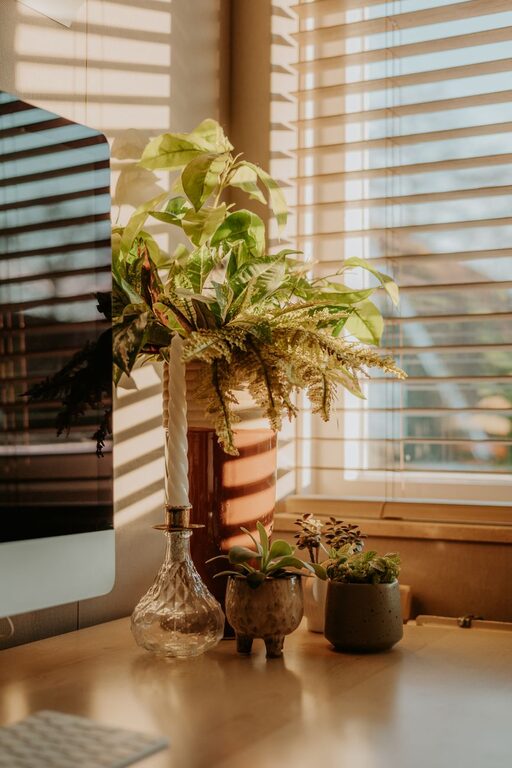
Include artwork, plants, or photos that uplift your mood. Plants not only brighten the area but can also improve air quality.
Choose Calming Colors
Soft, neutral tones like light blues, greens, or warm beige create a soothing atmosphere conducive to concentration.
Optimize Lighting
Combine Natural and Artificial Light
Maximize daylight during work hours, but also invest in good desk lamps or overhead lights. Adjustable lighting can reduce eye fatigue and create a warm ambiance.
Avoid Screen Glare
Position your monitor to avoid reflections from windows or lights. Anti-glare screen protectors can also help.
Manage Technology Wisely
Cable Management
Keep cables tidy with clips, sleeves, or under-desk organizers. A neat setup reduces distractions and prevents accidents.
Reliable Equipment
Ensure your computer, printer, and other tools are dependable. Regularly update software and back up important files to avoid disruptions.
Establish Clear Boundaries
Separate Work and Personal Life
Designate your office solely for work to help mentally switch between tasks and relaxation. If space allows, close the door when you’re done for the day.
Set a Routine
Having a consistent schedule and breaks helps maintain focus and prevents burnout.
Maintain Cleanliness and Comfort
Regular Cleaning
Dust your workspace and vacuum rugs regularly to keep the environment healthy.
Control Temperature and Air Quality
Use fans, heaters, or air purifiers as needed to keep your office comfortable throughout the year.
—
With these tips, you can create a home office space that feels inviting and supports your daily tasks. Remember, the best home office is one that fits your personal style and work habits, making every workday more productive and pleasant.